How to Export Your Personal Health Record (PHR)
1
Web Browser Web Only
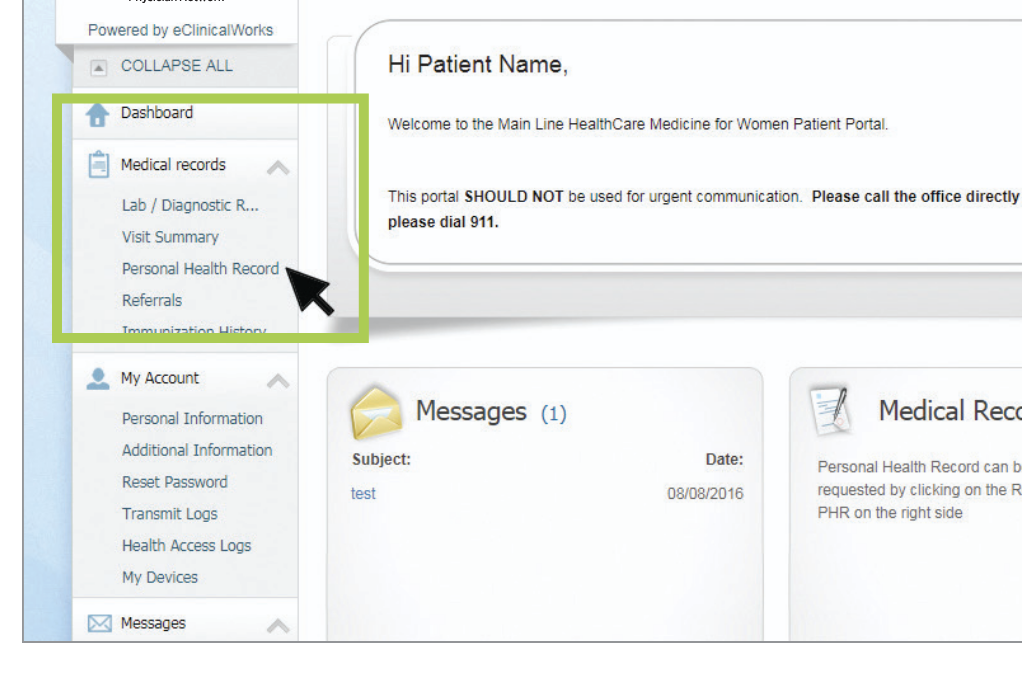
Login to your portal and locate the Personal Health Record link under Medical Records.
1
Healow Mobile App Mobile Only
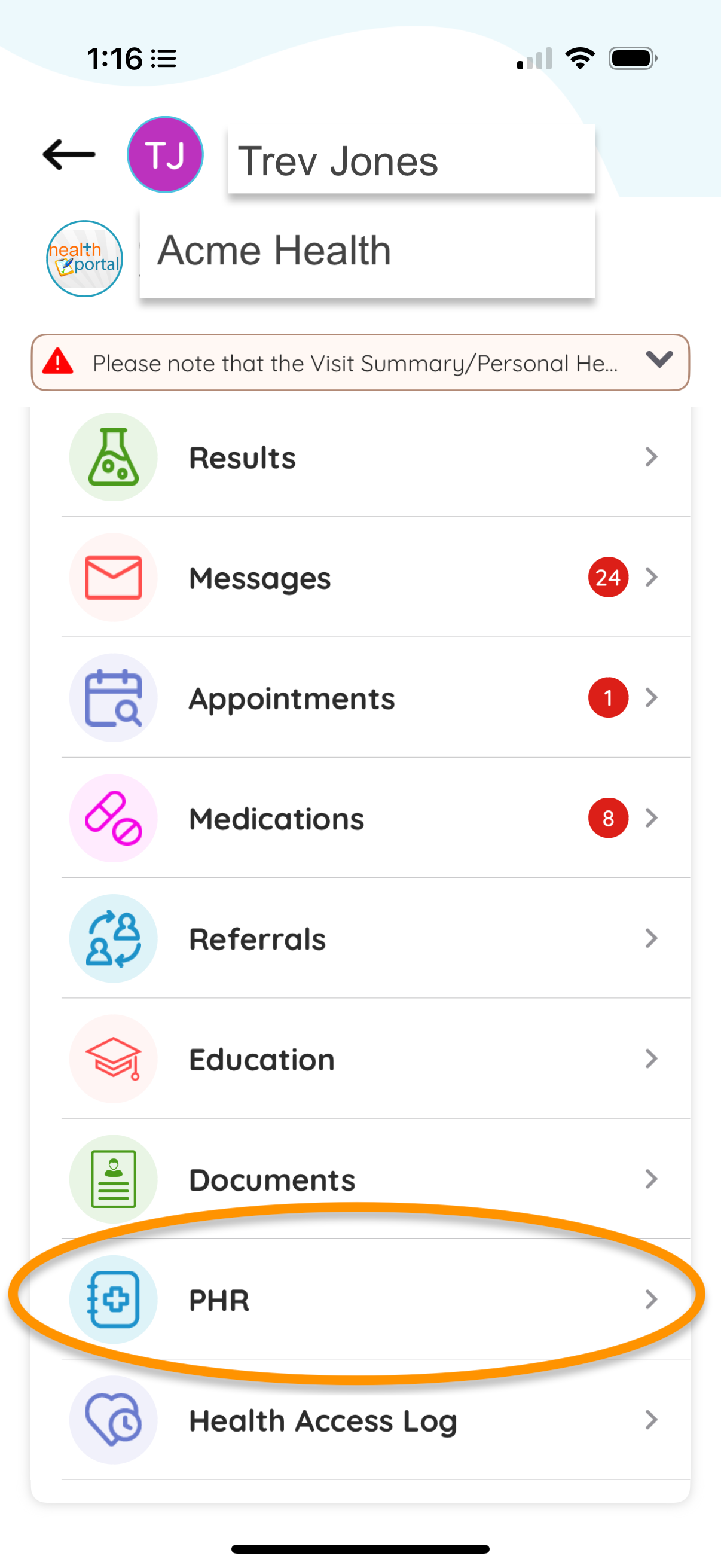
Open the Healow app and tap "PHR" toward the bottom of the screen.
2
Download PHR (CCD) Web & Mobile
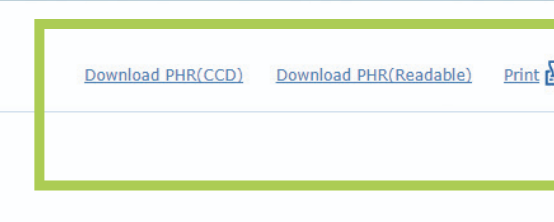
Click on the "Download PHR(CCD)" link.
3
Select Date Range Web & Mobile
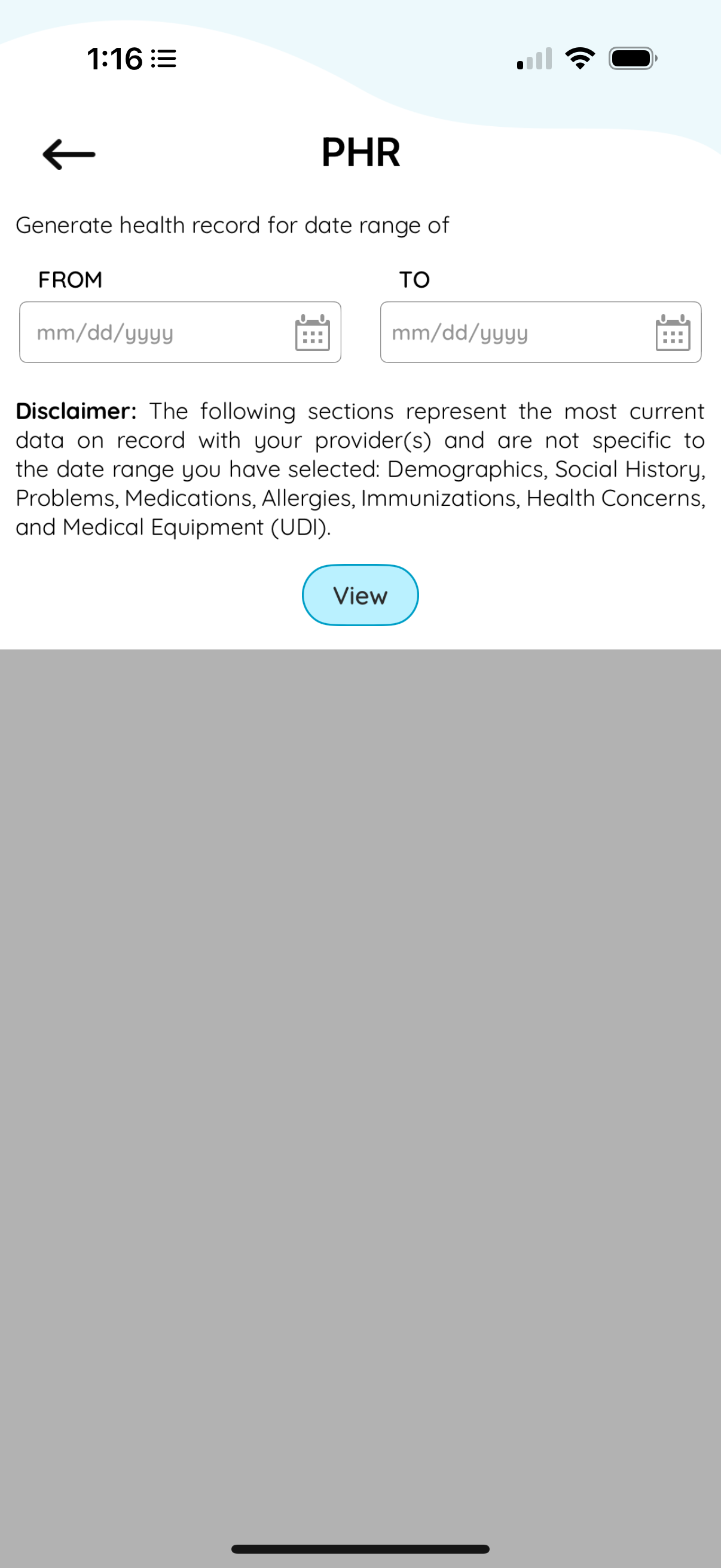
Enter your desired date range and click "View" to generate your PHR document.
4
Save Your File Web & Mobile
Click the download button and save the PHR XML file to a location where you can easily find it (such as your Downloads folder or Desktop).
5